Starloom Arcade

Details

Letter Dash Typing Arcade

Letter Dash Typing Arcade

Developer: Sky Shade Studio
Published: 2025-02-01
Updated: 2026-06-06
Strategy Defense

Reviews

Letter Dash is a straightforward typing game that effectively builds speed and accuracy. The increasing difficulty keeps it engaging without being overwhelming. It is ideal for short breaks or daily typing practice. The clean interface and responsive controls make it accessible for all ages. Replayability is high due to the score challenge.

About this game

Game Introduction

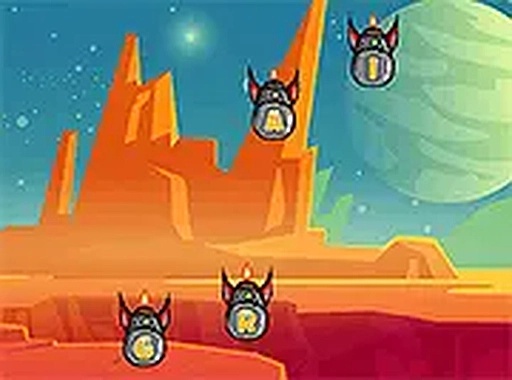
Letter Dash is a fast-paced typing game that challenges players to type falling letters before they reach the bottom of the screen. The core objective is to accurately and swiftly type the corresponding keys on your keyboard to destroy each letter. As the game progresses, the letters fall faster, increasing the difficulty and testing your reflexes. This free browser-based arcade game offers a simple yet engaging way to improve your typing skills. It is suitable for players of all ages and can be played on desktop or mobile devices, with full screen mode available for an immersive experience.

How to Play

To play Letter Dash, simply watch the falling letters on the screen and type the matching keys on your keyboard. Each correct typed letter destroys the falling one. The game ends if any letters reach the bottom. The challenge lies in typing accurately and quickly to prevent letters from piling up. The game is easy to start and requires no prior setup. Players typically begin with a slow pace, which gradually increases as they progress, making it a great way to practice typing speed and accuracy.

Game Features

Letter Dash includes several features that enhance the gameplay experience. It is free to play and browser-based, meaning no downloads are required. The game is compatible with mobile devices and offers a full screen mode for a more immersive experience. The difficulty increases over time, providing a progressive challenge that keeps players engaged. As a typing game, it naturally helps improve typing skills and hand-eye coordination. The game is designed to be accessible and suitable for all ages.

Tips for Success

To succeed in Letter Dash, focus on typing accuracy before speed. Practice regularly to improve your reflexes and familiarity with the keyboard. Try to keep your eyes on the screen rather than the keyboard to type faster. As the game speeds up, stay calm and prioritize hitting the correct keys. Taking short breaks can help maintain concentration. Learning common letter patterns may also help you anticipate and react more quickly. The key is consistent practice and patience.

✅ Compatibility & Testing

• Desktop (Windows 11, macOS Ventura)
• Mobile (iPhone 14, Samsung Galaxy S23)
• Tablet (iPad Pro, Android tablet)
✅Supported browsers: Chrome, Safari, Edge, Firefox (latest versions)
❌ Not supported: Internet Explorer, older browser versions
Advertisement

Faq

Is Letter Dash free to play?
Yes, Letter Dash is a free browser-based game. You can play it directly in your web browser without any cost or subscription. There are no hidden fees or in-app purchases required to enjoy the full game experience.
Can I play Letter Dash on my mobile phone?
Yes, Letter Dash is compatible with mobile devices. You can play it on your smartphone or tablet using a browser. The game may also support touch input, though it is primarily designed for keyboard typing, so using an external keyboard may enhance the experience.
Does Letter Dash require an internet connection?
Since Letter Dash is a browser-based online game, it typically requires an active internet connection to load and play. However, once loaded, some games may allow offline play, but this depends on the specific implementation. For the best experience, ensure you have a stable connection.
Is there a high score system in Letter Dash?
Many typing arcade games like Letter Dash include a high score system to track your best performance. This feature encourages players to improve their typing speed and accuracy. However, the specific implementation may vary, so check the game interface for score tracking options.
Can I adjust the difficulty level in Letter Dash?
Letter Dash typically features increasing difficulty as you progress, with letters falling faster over time. Some games of this type may offer adjustable difficulty settings at the start, but this is not guaranteed. The progressive challenge is designed to test your reflexes and typing skills naturally.
What happens if I type the wrong key in Letter Dash?
In most typing games like Letter Dash, typing the wrong key usually does not destroy the falling letter and may result in a penalty, such as a time delay or score reduction. The exact penalty varies by game, but the key is to focus on accuracy to avoid mistakes and keep the letters from reaching the bottom.

Leave a Comment