Starloom Arcade

Details

Piano Shooter Arcade Game

Piano Shooter Arcade Game

Developer: Epic Current Labs
Published: 2024-02-24
Updated: 2026-06-12
Fun Arcade

Reviews

Wilhelmus Invaders Piano Shooter offers a unique gameplay experience by integrating piano notes with alien defense. The controls are responsive, and the increasing tempo adds replay value. It is a safe, educational, and entertaining game that works well on any device. Great for music lovers and casual gamers alike.

About this game

Game Introduction

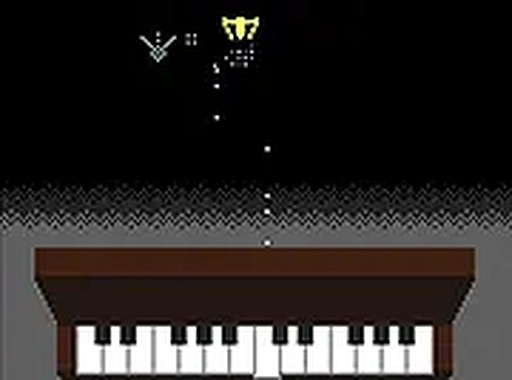
Wilhelmus Invaders Piano Shooter is an online arcade game that blends music with classic shooting gameplay. Players defend against alien invaders by playing the correct piano keys corresponding to notes from the Dutch national anthem, 'Het Wilhelmus'. This creative twist on the shoot 'em up genre makes the game both entertaining and educational. It runs directly in your browser without any downloads, ensuring instant access on both mobile devices and desktop computers. The game is designed for all ages, offering a safe and engaging way to enjoy music while testing your rhythm and reflexes.

How to Play

To play, use your keyboard or touch screen to press the piano keys shown on screen. Each key matches a note from 'Het Wilhelmus'. Pressing the correct note at the right time shoots down approaching alien invaders. Follow the on-screen prompts and maintain a steady rhythm to prevent aliens from reaching your position. As you advance, the tempo may increase, challenging your coordination and speed. The controls are intuitive, making the game easy to learn for players of all skill levels. For a more immersive experience, you can switch to full screen mode.

Game Features

Creative piano shooter gameplay that blends music with action. Family-friendly content suitable for all ages. Free to play with no downloads or registration required. Works on mobile and desktop devices. Full screen mode available for an enhanced experience.

Tips for Success

Practice regularly to improve your note recognition and timing. Focus on maintaining a steady rhythm rather than rushing. Pay close attention to the on-screen prompts and try to anticipate the next note. If you miss a note, quickly recover and continue with the next one. Playing in a quiet environment can help you hear the music more clearly, which may improve your accuracy.

Compatibility

Play on Any Device | Chrome / Safari / Edge Recommended
Advertisement

Faq

Is this game free to play?
Yes, the game is free to play. There are no hidden fees or in-app purchases required to enjoy the full experience. You can start playing immediately without any payment.
Do I need to download anything to play?
No downloads are necessary. The game runs directly in your web browser, so you can play instantly on any device with an internet connection. This includes both mobile phones and desktop computers.
Can I play this game on my mobile phone?
Yes, the game is designed to work on mobile devices. You can use your touch screen to press the piano keys, making it easy to play on smartphones and tablets without any additional equipment.
What happens if I miss a note?
If you miss a note, the alien invaders may get closer to your position. However, you can quickly recover by pressing the next correct note. The game encourages you to maintain a steady rhythm, but occasional mistakes are part of the learning process.
Is there a way to make the game full screen?
Yes, the game includes a full screen mode option. This allows you to expand the game view for a more immersive experience, especially helpful when playing on larger screens or in a focused gaming session.
What is the music used in the game?
The game uses notes from the Dutch national anthem, 'Het Wilhelmus'. Each piano key corresponds to a specific note from this anthem, creating a unique musical challenge as you defend against invaders.

Leave a Comment