Starloom Arcade

Details

Clone Jumping Puzzle Adventure

Clone Jumping Puzzle Adventure

Developer: Gridshift Digital
Published: 2024-12-04
Updated: 2026-06-12
Arcade Classic Puzzle

Reviews

Clone Jumping is a well-designed puzzle platformer that stands out with its clone control mechanic. Each level requires careful planning and timing, offering a satisfying challenge. The game is easy to pick up but has enough depth to keep you coming back. It is a solid choice for fans of brain teasers.

About this game

Game Introduction

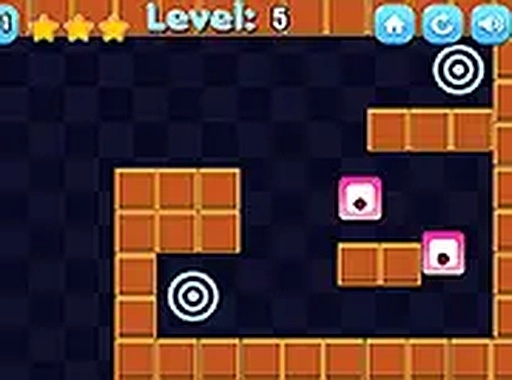
Clone Jumping is a captivating puzzle platformer that challenges your multitasking skills. In this game, you control multiple clones at once, all moving in the same direction. Your goal is to guide every clone safely through a series of tricky traps and puzzles to reach the portal at the end of each level. The game tests your ability to plan ahead and coordinate movements, as each clone must survive the journey. Available on web browsers, Clone Jumping offers a unique twist on traditional platformers by adding a layer of strategic thinking. With its colorful graphics and engaging gameplay, it provides hours of entertainment for players of all ages. The game runs smoothly in your browser without any downloads, making it easy to jump right in. Whether you are on a desktop or mobile device, you can enjoy this fun and family-friendly puzzle adventure. Explore different levels, each with increasing difficulty, and see if you can lead all clones to victory.

How to Play

To play Clone Jumping, use the arrow keys or on-screen controls to move all clones simultaneously. Each clone moves in the same direction, so you must carefully navigate them through obstacles like spikes, moving platforms, and gaps. The key is to ensure that no clone gets left behind or falls into a trap. Plan your moves ahead, as some puzzles require precise timing and coordination. The game is simple to learn but challenging to master, offering a rewarding experience for puzzle enthusiasts. Play directly in your browser on any device, and enjoy full-screen mode for a more immersive experience. No downloads are needed, so you can start playing instantly.

Game Features

Unique clone control mechanic. Challenging puzzles that require planning. Family-friendly design suitable for all ages. Full-screen mode support for better focus. Levels with increasing difficulty. Browser-based gameplay with no downloads required. Compatible with desktop and mobile devices.

Tips for Success

Practice regularly to improve your timing and coordination. Study each level before moving, as careful planning is essential. Focus on keeping all clones together to avoid losing any. Use the full-screen mode to reduce distractions. Take breaks if you feel stuck, as a fresh perspective can help solve tricky puzzles.

Compatibility

✅ Works on PC & Mobile | Recommended: Chrome / Safari / Edge
Advertisement

Faq

Is Clone Jumping free to play?
Yes, Clone Jumping is typically free to play directly in your web browser. There are no downloads or purchases required to start playing. Some browser-based games may offer optional in-game purchases, but the core experience is usually accessible without any cost.
Can I play Clone Jumping on my mobile phone?
Yes, Clone Jumping is designed to work on both desktop and mobile devices. The game includes on-screen controls for touchscreens, making it easy to play on smartphones and tablets. Just open your browser and start playing without any additional setup.
Does Clone Jumping have a time limit for each level?
The game does not explicitly mention a time limit. Typically, puzzle platformers like this focus on careful planning rather than speed, so you can take your time to figure out each puzzle. However, some levels may have moving obstacles that require timely actions.
How many levels are there in Clone Jumping?
The exact number of levels is not specified, but the game features multiple levels with increasing difficulty. As you progress, you will encounter more complex traps and puzzles. The variety of levels ensures that the gameplay remains challenging and engaging.
Can I save my progress in Clone Jumping?
Browser-based games often save progress using cookies or local storage, so your progress may be saved automatically. However, this is not guaranteed for all games. If you clear your browser data, you might lose your saved progress. It is best to check the game's settings for save options.
Is Clone Jumping suitable for children?
Yes, Clone Jumping is family-friendly and suitable for players of all ages. The game has colorful graphics and non-violent puzzles, making it a safe choice for children. The simple controls and increasing difficulty also make it accessible for younger players.

Leave a Comment