
Emoji Memory Match Puzzle
Reviews
About this game
Game Introduction
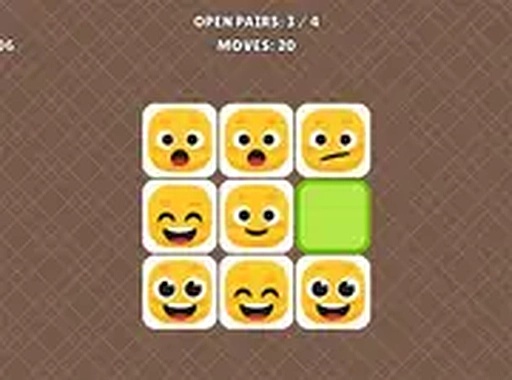
Emoji: Find a Pair is a delightful online memory game that brings a modern twist to classic card matching. Players are presented with a grid of face-down cards, each hiding a vibrant emoji. The goal is to flip two cards at a time and find identical pairs. The game uses expressive emojis that resonate with today's digital communication, making each match feel rewarding and fun. Designed for casual play, it helps sharpen memory and focus in a stress-free environment. The interface is clean and intuitive, ensuring that players of all ages can start playing immediately. With no time pressure, you can play at your own pace, making it an ideal activity for relaxation or a quick mental break.
How to Play
To play, simply click or tap on a card to reveal its emoji. Then, select a second card to see if it matches the first. If the emojis are the same, the pair remains face-up and you earn points. If they differ, both cards flip back over after a short pause. Continue until you have matched all pairs on the board. The game tracks your moves, encouraging you to improve with each round. It works seamlessly on both desktop computers and mobile devices, responding to mouse clicks or touch taps. There is no timer, so you can take your time to remember where each emoji is located. This straightforward approach makes the game accessible to everyone, from young children to older adults.
Game Features
Memory matching with emoji cards. Mobile and desktop support. Free to play online. Full screen mode available. No downloads or registration required. Adjustable grid sizes for varied difficulty.
Tips for Success
To improve your performance, try to focus on the positions of the emojis as you flip them. Start with smaller grid sizes to build your memory skills before moving to larger boards. Take your time—there is no timer, so you can plan your moves carefully. Practice regularly to enhance your recall speed and accuracy. Also, try to develop a mental map of the board by remembering the locations of previously revealed emojis. These strategies will help you match pairs more efficiently and enjoy the game even more.
Leave a Comment