
Reviews
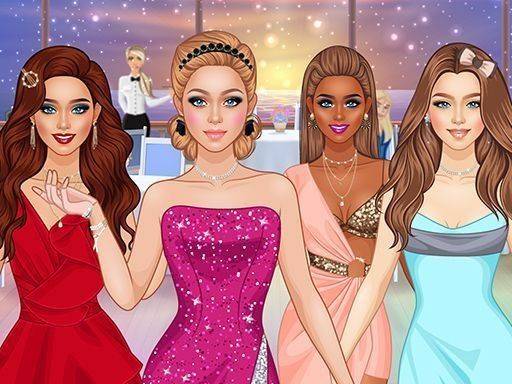
Wardrobe Wonder: Style Creator offers a genuinely calming experience for fashion enthusiasts of any age. The extensive collection of clothing and accessories allows for countless combinations, while the simple tap interface makes styling effortless. I especially appreciate the absence of timers or scores, which lets me focus purely on creative expression. The personal gallery is a nice touch for tracking your evolving taste. Regular updates keep the content fresh without overwhelming the player. It is an excellent choice for unwinding after a busy day.
About this game
Getting Started with Your Virtual Closet
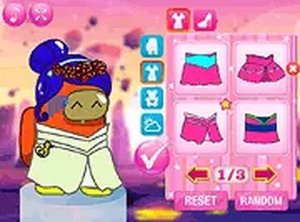
When you first open Wardrobe Wonder: Style Creator, you choose a character to dress. The interface presents a clean layout with categories like tops, bottoms, dresses, shoes, and accessories. Tapping any item instantly places it on your character, letting you see how different pieces work together. You can layer necklaces over tops, add scarves, or swap handbags with a simple tap. Hairstyles and colors are also adjustable, giving you full control over the final look. There is no timer or score, so you can take as long as you like to perfect each outfit.
Exploring the Wardrobe Collection
The game offers a broad selection of fashion pieces across multiple categories. You will find dresses in various lengths and patterns, tops ranging from casual tees to elegant blouses, and bottoms including skirts and trousers. Outerwear like jackets and cardigans add extra layers to your creations. The accessory section includes jewelry, bags, and hats, while the makeup palette lets you apply lip colors, eye shadows, and blush. New items are added periodically, keeping the wardrobe fresh and encouraging you to revisit your saved looks.
Building Your Personal Gallery
Once you finish an outfit, you can save it to a personal gallery. This gallery acts as a portfolio of your designs, allowing you to revisit and tweak any look later. You might create a series of outfits for different moods or occasions, then compare them side by side. The gallery helps you track how your style preferences evolve over time. Since there is no competitive element, the focus stays on your own satisfaction and creative growth.
Relaxed Creative Play for All Ages
Wardrobe Wonder: Style Creator is designed for anyone who enjoys playful experimentation with clothing. The absence of pressure makes it suitable for younger players exploring color and pattern, as well as adults seeking a calming activity. The game celebrates personal expression by letting you try combinations you might not consider in everyday life. Whether you prefer bold contrasts or subtle harmonies, the virtual wardrobe supports your choices without judgment.
Compatibility
💻 Desktop | 📱 Mobile | 📟 Tablet
– All supported · Best with Chrome or Safari
Faq
Can I share my outfits with friends in Wardrobe Wonder: Style Creator?
The game allows you to save your creations to a personal gallery. Some versions may include options to share looks within the game community, but this depends on the platform. Check the settings menu for sharing features.
Are there any in-app purchases or ads in this game?
Wardrobe Wonder: Style Creator is generally free to play with optional cosmetic items available for purchase. Ads may appear occasionally, but they do not interrupt the core styling experience. You can disable purchases in device settings.
How often are new clothing items added to the game?
The developers release seasonal updates that introduce new fashion items, such as holiday-themed outfits or trending styles. These updates keep the wardrobe fresh and give you reasons to return and create new looks.
Is Wardrobe Wonder: Style Creator suitable for young children?
Yes, the game is designed for all ages. There is no violent content, timers, or competitive pressure. The simple tap interface is easy for young children to use, and parents can feel comfortable with the safe, creative environment.
Can I undo changes if I make a mistake while styling?
Yes, the game includes an undo button that lets you reverse the last action. You can also remove any item by tapping it again or selecting a different piece. This flexibility encourages experimentation without fear of ruining your look.
Does the game require an internet connection to play?
Most features of Wardrobe Wonder: Style Creator work offline after the initial download. However, accessing seasonal updates or sharing creations may require an internet connection. Check the app description for specific offline capabilities.



Comments
0 comments