Starloom Arcade

Details

Supermarket Simulator: Strategy Management

Supermarket Simulator: Strategy Management

Developer: Clever Creations
Published: 2026-01-25
Updated: 2026-06-12
Management Simulation Strategy

Reviews

Supermarket Simulator offers a satisfying experience for fans of business games. The progression from a small shop to a large store feels rewarding. Controls are intuitive, and the game runs smoothly in any browser. It has good replayability because each playthrough can follow a different strategy. The financial management aspect adds depth without being overwhelming. A solid choice for casual or strategic players.

About this game

Game Introduction

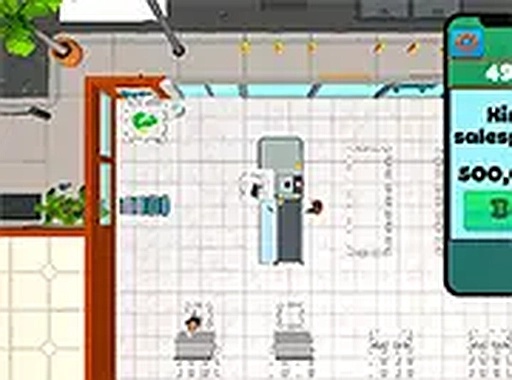
Supermarket Simulator is a management and simulation game where you take charge of your own grocery store. Starting with a small shop and limited budget, your goal is to grow it into a successful retail business. The game simulates real-world challenges such as inventory management, customer service, and financial planning. You decide which products to stock, how to price them, and how to arrange your store for maximum efficiency. Every choice affects your store's reputation and profits. This engaging simulation teaches the basics of running a business while keeping you entertained. It is ideal for players who enjoy strategy and management games.

How to Play

Players typically use mouse controls to navigate the supermarket and interact with different areas. You can click on shelves to restock products when they run low. Managing the checkout process involves serving customers quickly to maintain satisfaction. Keep an eye on customer satisfaction indicators and adjust your strategy as needed. You can also upgrade your store by purchasing new shelves, better signage, or expanding floor space. The game runs smoothly in your browser with simple point-and-click controls. For a more immersive experience, you may switch to full screen mode. A tutorial helps new players understand the basics quickly.

Game Features

This game offers a realistic business simulation with financial management and customer satisfaction mechanics. You can upgrade your store layout and equipment. The game tracks daily sales and expenses. It provides a progressive challenge as you expand your business. Simple point-and-click controls make it easy to play. Full screen mode is available for a better view.

Tips for Success

To succeed, focus on balancing your budget and keeping customers happy. Stock popular items and price them competitively. Upgrade your store gradually to avoid overspending. Monitor your daily reports to see what works. Practice efficient checkout management to reduce wait times. Learn from each day's results and adjust your strategy accordingly.

Compatibility

✅ This game supports:
- Desktop browsers (Chrome, Edge, Safari)
- Mobile browsers (Chrome on Android, Safari on iOS)
❌ Does NOT support: - Internet Explorer - Very old browser versions
👉 Try refreshing or updating your browser
Advertisement

Faq

Can I play Supermarket Simulator on mobile devices?
The game is designed for browser play with mouse controls. It may not be optimized for mobile touchscreens, but you can try it on a tablet with a mouse or keyboard. Check the game's page for specific device compatibility.
Is there a time limit or can I play at my own pace?
Typically, simulation games like this allow you to play at your own pace without strict time limits. You can take your time making decisions, though customer satisfaction may drop if you are slow. The focus is on strategic management rather than speed.
Does the game have a tutorial for beginners?
Yes, the game includes a tutorial that helps new players understand the basics quickly. It guides you through the core mechanics like restocking shelves, serving customers, and managing finances, so you can start playing with confidence.
Can I save my progress in the game?
Most browser-based simulation games offer auto-save or manual save options. Check the game's settings or menu for a save feature. It is common for such games to save your progress locally or on the server, depending on the platform.
Are there different difficulty levels in Supermarket Simulator?
The game may include a progressive challenge as you expand your business, but specific difficulty levels are not mentioned. Typically, the challenge increases naturally as your store grows, requiring more careful management and planning.
What happens if my store runs out of money?
If your store runs out of money, you may be unable to restock or upgrade, leading to declining customer satisfaction. In many simulation games, you can restart or learn from mistakes. The game encourages careful financial planning to avoid bankruptcy.

Leave a Comment