Starloom Arcade

Details

Comfy Farm Management Simulation

Comfy Farm Management Simulation

Developer: Sky Interactive
Published: 2025-07-27
Updated: 2026-06-12
Management Simulation

Reviews

Comfy Farm provides a calm yet engaging management experience. The weather system adds meaningful decisions without overwhelming the player. Upgrading your farm feels rewarding, and the cycle of planting and harvesting is satisfying. The game runs smoothly on browser and mobile. It offers good replayability as you try different crops and strategies. Perfect for short sessions or longer play.

About this game

Game Introduction

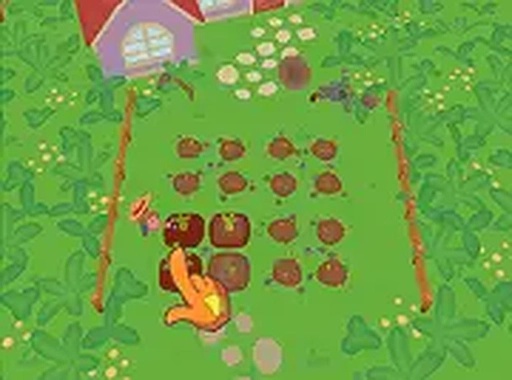
Comfy Farm is a management simulation game that places you in charge of a small farm. Your task is to plant fruit and vegetable crops, tend to them regularly, and sell the harvest for profit. The game introduces realistic weather patterns that can help or harm your plants. Rain may water your crops, but storms or droughts require you to adjust your strategy. With each successful harvest, you earn coins to buy better seeds, tools, and land expansions. The game runs entirely in your browser with no downloads needed and works on desktop and mobile devices. It offers a calm yet engaging experience for players who enjoy planning and resource management.

How to Play

To start playing Comfy Farm, open the game in your browser. You begin with a small plot and a selection of seeds. Click on the soil to plant your chosen crop. After planting, you must water and care for the plants regularly. Watch the weather forecast to anticipate rain or harsh conditions. Adjust your actions to protect your crops. When the plants are fully grown, click to harvest them. Each harvest gives you coins that you can spend on upgrades, new seeds, or farm expansions. The controls are simple and intuitive, making it easy for anyone to begin. Play in full-screen mode for a more immersive experience.

Game Features

Fun farming simulation with realistic weather challenges. Crop management that requires planning and timing. Upgrade system to improve tools and expand your farm. Suitable for casual and strategic players alike. No download required, play directly in your browser. Works on desktop and mobile devices for convenience.

Tips for Success

You will enjoy Comfy Farm because it offers a satisfying loop of planting, caring, and harvesting. The weather system adds a layer of strategy without making the game stressful. It is a relaxing way to spend time while still feeling productive.

Compatibility

✅ Works on PC & Mobile | Recommended: Chrome / Safari / Edge
Advertisement

Faq

Is Comfy Farm free to play?
The game is likely free to play in your browser, as no download is required. Many similar management simulation games are free with optional in-game purchases for upgrades or cosmetic items, but specific pricing details are not provided.
Can I play Comfy Farm offline?
Comfy Farm is described as an online game that runs in your browser. This typically requires an internet connection to load and play. Offline play is not mentioned, so it is best to assume you need a stable connection.
What types of crops can I grow?
The game mentions fruit and vegetable crops, but specific varieties are not listed. You may encounter common crops like tomatoes, carrots, or apples, and unlock more as you progress. The exact selection depends on the game's design.
Does the game have a tutorial?
While not explicitly stated, many management simulation games include a tutorial or guide for new players. Comfy Farm's simple controls suggest it is easy to learn, but a formal tutorial may or may not be present.
Can I play with friends?
The game is described as a single-player management simulation. Multiplayer features are not mentioned, so it likely focuses on individual farm management without direct interaction with other players.
What happens if my crops are damaged by weather?
Realistic weather patterns like storms or droughts can harm your plants. You may lose some harvest or need to replant. The game encourages you to watch forecasts and adjust your strategy to minimize damage, but specific penalties are not detailed.

Leave a Comment